
ID Verification
Verify any ID from 220+ countries in seconds.
Every onboarding starts with a document. Amani reads it, extracts it and interrogates it - fonts, holograms, MRZ checksums, photo tampering, screen replays - returning a verified identity profile in seconds.
Capabilities
What ID Verification gives you.
Global document library
Passports, national IDs, driving licences and residence permits from 220+ countries and territories.
Forgery & tamper detection
Security features, fonts and photo regions checked against document templates; edits and composites flagged.
Screen & print replay defence
Photos of screens and printouts detected, so a stolen image can’t pass as a live document.
Smart capture
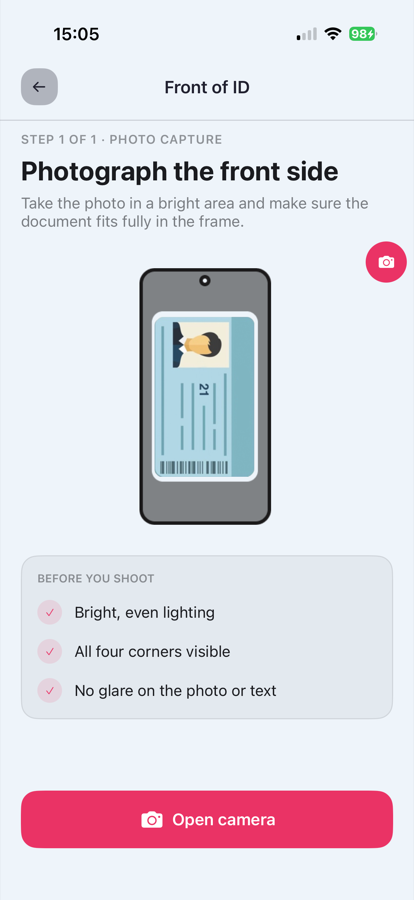
Auto-capture with glare and blur detection gets a usable image on the first try - even in poor light.
Structured extraction
OCR + MRZ + barcode parsing return clean, structured fields ready for your systems.
Expiry & consistency checks
Dates, checksums and cross-field consistency validated automatically.
From session to signed result.
Four steps - the same integration pattern as every Amani module.
Create a session
One API call (or a Studio journey) starts a verification session for this module.
User completes the flow
Your customer is guided through capture in your branded UI - web or mobile.
Checks run in real time
ID Verification executes alongside any other modules in the journey.
You receive a signed result
A webhook delivers the decision, scores and evidence to your backend.
For developers
Integrate ID Verification.
Authenticate, create a profile, generate a verification URL - then let Amani handle the rest. Or describe what you want to your AI coding agent and let Amani Skills wire it up from the live docs.
Available on
verify.sh
# 1 · Authenticate (server-side only)
curl -X POST 'https://ae.amani.ai/api/v2/user/login/' \
  --form 'username="you@company.com"' \
  --form 'password="••••••••"'

# 2 · Create the customer profile
curl -X POST 'https://ae.amani.ai/api/v2/profile' \
  -H 'Authorization: Bearer $ACCESS_TOKEN' \
  --form 'id_card_number="784199012345678"' \
  --form 'name="Layla Haddad"'

# 3 · Generate the verification URL
curl -X POST 'https://ae.amani.ai/api/v2/profile/url' \
  -H 'Authorization: Bearer $ACCESS_TOKEN' \
  -H 'Content-Type: application/json' \
  --data '{
    "profile": PROFILE_ID,
    "web_sdk_url": "https://verify.amani.ai",
    "language": "en",
    "return_url": "https://yourapp.com/verified"
  }'

# ID Verification runs inside this session - configure it in Amani Studio.
document.sh
# Submit document pages programmatically for a profile
curl -X POST 'https://ae.amani.ai/api/v2/document' \
  -H 'Authorization: Bearer $ACCESS_TOKEN' \
  --form 'profile=PROFILE_ID' \
  --form 'type="identity"' \
  --form 'front=@front.jpg' \
  --form 'back=@back.jpg'

# Fetch submitted documents, status and results
curl 'https://ae.amani.ai/api/v2/document/{id}' \
  -H 'Authorization: Bearer $ACCESS_TOKEN'
with Amani Skills
# Install Amani Skills once
npx -y github:AMANI-AI-ORG/skills --global

# Then ask your coding agent:

You › Add the Amani KYC UI SDK to our Android onboarding right after sign-up, with ID document capture enabled.

# The matching skill fetches the live docs, pins the
# current SDK version and wires up the integration -
# secrets left as placeholders. Claude Code, Cursor and
# any Agent-Skills-compatible tool.
webhooks.ts
// Amani signs every webhook with an HMAC signature using
// your secret. Always verify it before processing.
import crypto from 'node:crypto';

app.post('/webhooks/amani', (req, res) => {
  // Confirm the exact header name in the Webhooks API reference.
  const signature = req.get('X-Amani-Signature') ?? '';

  const expected = crypto
    .createHmac('sha256', process.env.AMANI_WEBHOOK_SECRET)
    .update(req.rawBody)
    .digest('hex');

  const valid =
    signature.length === expected.length &&
    crypto.timingSafeEqual(Buffer.from(signature), Buffer.from(expected));

  if (!valid) return res.status(401).end();

  const { profile, status } = req.body;
  if (status === 'approved') activateAccount(profile);

  res.status(200).end();
});
ID Verification - common questions
Which documents are supported?
Over 13,000 document templates across 220+ countries and territories, updated continuously as new versions are issued.
What image quality is required?
The capture SDK handles quality automatically - it rejects glare and blur in real time and guides the user until the frame is readable.
Can it run without a selfie?
Yes. ID Verification runs standalone; add Liveness and Face Match when you need to bind the document to a live person.
Related modules
Add ID Verification to your flow
Switch it on in Amani Studio, or call it directly from the API.