
Liveness
Catch deepfakes, masks and screen replays.
Generative AI made fake faces cheap. Amani’s passive liveness proves a real, present human is in front of the camera - defeating deepfakes, printed photos, masks, screen replays and camera-injection attacks from a single frame, with no gestures to perform.
Capabilities
What Liveness gives you.
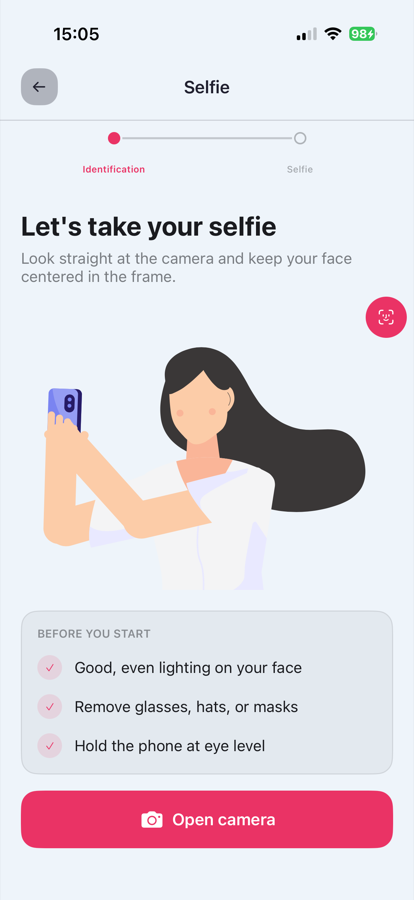
Passive, single-frame
No smiling, turning or nodding - the check runs invisibly on a normal selfie, so completion rates stay high.
Deepfake detection
Synthetic-face and face-swap artefacts detected with models retrained continuously on new attack tools.
Injection-attack defence
Virtual cameras and video-injection pipelines identified at the capture layer, not just the image layer.
Presentation-attack coverage
Printed photos, screens, 2D/3D masks and cut-out attacks covered per ISO 30107-3 categories.
Tested against the standard
Presentation-attack detection is assessed against the ISO 30107-3 attack categories, covering print, screen, mask and replay.
Milliseconds, on-flow
Runs inline with face match during capture - no extra step, no perceptible wait.
From session to signed result.
Four steps - the same integration pattern as every Amani module.
Create a session
One API call (or a Studio journey) starts a verification session for this module.
User completes the flow
Your customer is guided through capture in your branded UI - web or mobile.
Checks run in real time
Liveness executes alongside any other modules in the journey.
You receive a signed result
A webhook delivers the decision, scores and evidence to your backend.
For developers
Integrate Liveness.
Authenticate, create a profile, generate a verification URL - then let Amani handle the rest. Or describe what you want to your AI coding agent and let Amani Skills wire it up from the live docs.
Available on
verify.sh
# 1 · Authenticate (server-side only)
curl -X POST 'https://ae.amani.ai/api/v2/user/login/' \
  --form 'username="you@company.com"' \
  --form 'password="••••••••"'

# 2 · Create the customer profile
curl -X POST 'https://ae.amani.ai/api/v2/profile' \
  -H 'Authorization: Bearer $ACCESS_TOKEN' \
  --form 'id_card_number="784199012345678"' \
  --form 'name="Layla Haddad"'

# 3 · Generate the verification URL
curl -X POST 'https://ae.amani.ai/api/v2/profile/url' \
  -H 'Authorization: Bearer $ACCESS_TOKEN' \
  -H 'Content-Type: application/json' \
  --data '{
    "profile": PROFILE_ID,
    "web_sdk_url": "https://verify.amani.ai",
    "language": "en",
    "return_url": "https://yourapp.com/verified"
  }'

# Liveness runs inside this session - configure it in Amani Studio.
with Amani Skills
# Install Amani Skills once
npx -y github:AMANI-AI-ORG/skills --global

# Then ask your coding agent:

You › In the forgot-password flow, verify identity with the Amani KYC Core SDK (selfie liveness) on iOS before allowing a reset.

# The matching skill fetches the live docs, pins the
# current SDK version and wires up the integration -
# secrets left as placeholders. Claude Code, Cursor and
# any Agent-Skills-compatible tool.
webhooks.ts
// Amani signs every webhook with an HMAC signature using
// your secret. Always verify it before processing.
import crypto from 'node:crypto';

app.post('/webhooks/amani', (req, res) => {
  // Confirm the exact header name in the Webhooks API reference.
  const signature = req.get('X-Amani-Signature') ?? '';

  const expected = crypto
    .createHmac('sha256', process.env.AMANI_WEBHOOK_SECRET)
    .update(req.rawBody)
    .digest('hex');

  const valid =
    signature.length === expected.length &&
    crypto.timingSafeEqual(Buffer.from(signature), Buffer.from(expected));

  if (!valid) return res.status(401).end();

  const { profile, status } = req.body;
  if (status === 'approved') activateAccount(profile);

  res.status(200).end();
});
Liveness - common questions
Passive vs active liveness - why passive?
Active checks (turn your head, smile) add friction and are now easier for deepfake rigs to satisfy than for some humans. Passive analysis catches attack artefacts without user effort.
What attacks does it stop?
Printed photos, screen replays, 2D and 3D masks, face swaps, synthetic faces and virtual-camera injection - scored per ISO 30107-3.
Does it work in poor lighting?
The capture SDK guides users to usable conditions and the models are trained across skin tones, lighting and cameras to keep error rates flat.
Related modules
Add Liveness to your flow
Switch it on in Amani Studio, or call it directly from the API.